Resolume is a leading suite of creative software tools for live visual performance, media server applications, and modular video synthesis. The platform includes Resolume Arena, Resolume Avenue, and Resolume Wire—each designed for different workflows in the VJ, AV performer, and projection mapping space.
This page explains what Resolume Arena 7 and Resolume Wire are, their core capabilities, and the recent features introduced in the latest versions.
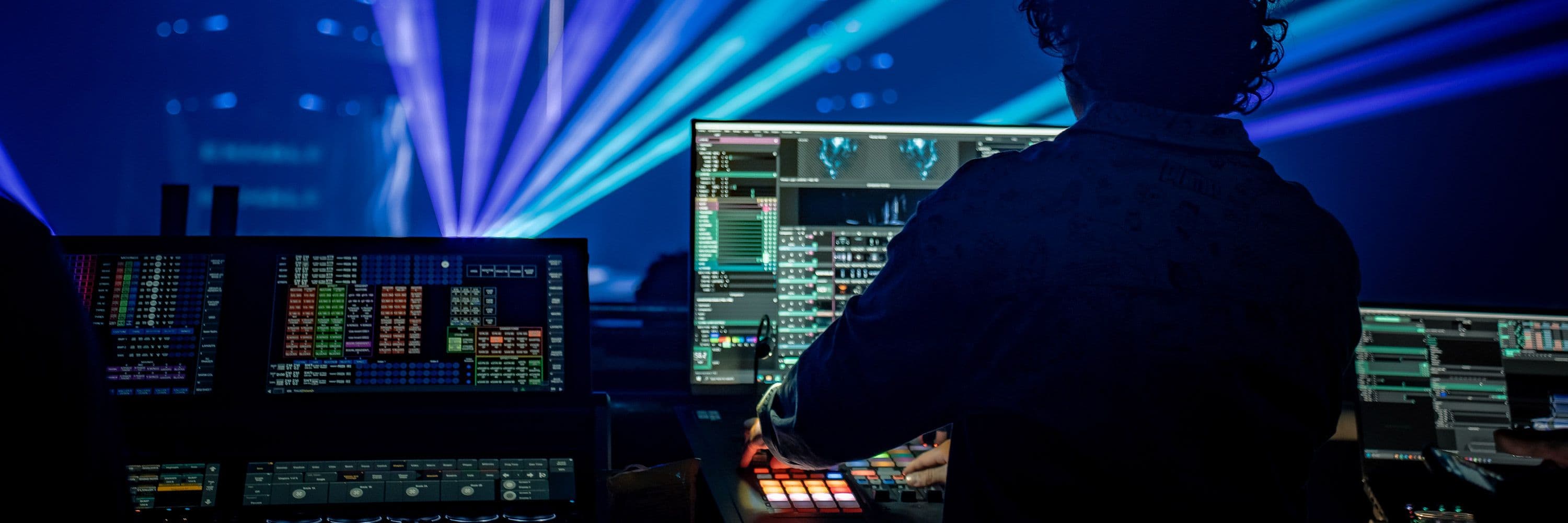
Resolume Arena 7 and Resolume Wire
What is Resolume Arena 7?
Resolume Arena is a professional media server software designed for live video mixing, projection mapping, and large-scale visual performances. It builds on the foundation of Resolume Avenue by adding advanced tools for multi-projector setups, hardware control, and synchronization.
Core Capabilities of Resolume Arena 7
- Live Video Mixing: Seamlessly blend, transition, and layer multiple video clips in real time with a powerful mixer interface.
- Projection Mapping: Advanced warping, blending, and masking tools allow precise alignment of visuals onto complex surfaces and structures.
- Multi-Projector Support: Seamlessly drive multiple projectors from a single computer, with automatic edge blending and corner pinning.
- Hardware Integration: Control via MIDI controllers, lighting desks (via ArtNet/SACN), and sync to DJ systems using SMPTE timecode.
- High-Resolution Playback: Supports 4K and beyond, with optimized performance for high-frame-rate content.
- OBS Virtual Camera: Stream directly to OBS or other broadcasting software via a virtual camera output.
- Deck-Based Workflow: Organize clips into decks for quick access during live performances.
- Layer Management: Use multiple layers with independent effects, blending modes, and transitions for complex visual compositions.
System Requirements (Recommended)
| Platform | OS | Processor | GPU | RAM |
|---|---|---|---|---|
| Windows | Windows 11 | i7 (6-core, 3.7 GHz+) | Nvidia RTX 4070 or equivalent | 16 GB |
| macOS | macOS 14 Sonoma | Apple M2 Max or better | Apple Silicon integrated | 16 GB |
What is Resolume Wire?
Resolume Wire is a modular, node-based patching environment that allows users to create custom effects, mixers, video generators, and tools for use within Arena and Avenue. It provides a visual programming interface where nodes represent functions (e.g., color correction, transformation, audio reaction) that can be connected to build complex pipelines.
Core Capabilities of Resolume Wire
- Modular Node-Based Workflow: Connect nodes to create custom effects, mixers, generators, and more.
- Custom Effects & Generators: Build your own visual tools from scratch or fork existing patches.
- Parameter Exposure: Expose specific parameters from a patch for easy control in Arena or Avenue during live performance.
- Built-in Learning Tools: Includes documentation, example patches, and a suggestion system that shows compatible connections.
- Integration with Arena/Avenue: Use Wire-created nodes directly in your composition as if they were native effects.
- Open-Source Patches: Community-contributed and official patches (e.g., CRT effect) can be forked and customized.
Recent Features in Resolume Arena 7 (v7.20–v7.25)
Resolume has released several updates to Arena 7 since its initial launch, focusing on performance, precision control, and workflow enhancements.
v7.20 Highlights
- Stroke Effects: New visual effects that add dynamic outlines or borders to clips, useful for stylized transitions and graphic overlays.
- Hardware Monitoring: Improved real-time monitoring of GPU and CPU usage for better performance tuning.
- Overhauled Tutorial Section: Enhanced in-app tutorials to help new users get started quickly.
v7.24 Highlights (Major Update)
- 10-Bit Color Output: Supports 10-bit color pipelines, increasing the color gamut from 16.7 million (8-bit) to over 1 billion colors. This eliminates banding in gradients and is essential for high-end broadcast and virtual production.
- Faster Composition Loading: Significant performance improvements, with some users reporting load times dropping from 8 minutes to 1 minute for large compositions.
- Faster MIDI Processing: Ensures responsive control even with heavy MIDI data.
- Composition State Indicator: Title bar now shows loading, saving, and closing states for better visibility during operations.
- CRT Effect Patch: A new open-source CRT (cathode-ray tube) effect patch that can be forked and customized for retro visual styles.
- New Generative Nodes: Added Kaleidoscope, Gaussian, Cylindrical, and Spherical nodes for creating complex imagery.
v7.25 Highlights
- Individual Clip Transition Control: Set unique transition times and blend modes per clip (not just per layer), allowing for more nuanced transitions.
- Slice Transform Enhancements: Added Scale and Position controls to the Slice Transform effect; slices can now be previewed by double-clicking in the Slice panel.
- Wire Multi-Node Workflow: Expose inputs and edit attributes for multiple nodes simultaneously; rename nodes with
@or#suffixes for auto-numbering. - Arithmetic Math Shortcuts: Numpad shortcuts (
+,-,*,/) to quickly insert arithmetic nodes in Wire. - Duplicate Node with Connections: Press
SHIFT + Dor drag withOPTION/ALT + SHIFTto duplicate a node while preserving its connections.
Recent Features in Resolume Wire (v7.20–v7.25)
Wire has evolved rapidly alongside Arena, with each update adding powerful new tools for modular video synthesis.
v7.24 Highlights
- Patch Navigator: Helps manage large and complex patches by providing an overview and quick navigation.
- Insert Node After/Before: Right-click context menu allows inserting nodes before or after the current node, with automatic rewiring.
- Open-Source CRT Effect: A fully customizable CRT effect patch that users can fork and modify.
v7.25 Highlights
- Multi-Node Editing: Edit attributes across multiple selected nodes at once; rename nodes with auto-numbering using
@or#suffixes. - Arithmetic Math Shortcuts: Numpad shortcuts for quick insertion of Add, Subtract, Multiply, and Divide nodes.
- Duplicate Node with Connections: Preserve wiring when duplicating nodes using
SHIFT + DorOPTION/ALT + SHIFTdrag. - Performance Optimizations: Faster loading and processing, especially for compositions with 40+ layers and 500+ columns.
Comparison: Arena vs. Wire
| Feature | Resolume Arena 7 | Resolume Wire |
|---|---|---|
| Primary Use | Live video mixing, projection mapping, media server | Modular node-based effect/mixer/generator creation |
| Interface | Deck-based, layer mixer, clip browser | Node-based patching environment |
| Best For | VJs, AV performers, projection artists | Custom effect builders, technical VJs, generative artists |
| Integration | Uses Wire patches as native effects | Exposes parameters for use in Arena/Avenue |
| Learning Curve | Moderate (deck-based workflow) | Steeper (requires understanding of patching) |
Practical Workflow Example
A typical advanced workflow might look like this:
- Design in Wire: Create a custom color correction and distortion effect using Wire nodes.
- Expose Parameters: Expose key controls (e.g., intensity, hue shift) for live tweaking.
- Import to Arena: Use the Wire patch as an effect on a layer in Arena.
- Live Performance: Trigger the effect via MIDI controller or keyboard shortcut during a show.
- Refine: Adjust the Wire patch in real time if needed, then save the updated composition.
Conclusion
Resolume Arena 7 and Resolume Wire form a powerful ecosystem for live visual performance. Arena provides the robust media server foundation needed for large-scale shows, while Wire offers deep creative flexibility through modular patching. Recent updates have significantly improved performance, precision control, and creative possibilities—making them essential tools for modern VJs, AV artists, and projection mappers.
For the latest news, tutorials, and community patches, visit the official Resolume website and explore the Juicebar marketplace for additional effects and sources.